
Appearance
aws-api.md
API Gateway
Lambda
ARN
arn:aws:iam::{계정명}:role/apigateway-dynamodb-role
GetItem
json
{
  "TableName": "table1",
  "Key": {
    "test_id": {
      "S": "$input.params('test_id')"
    }
  }
}
PutItem
json
{
  "TableName": "table1",
  "Item": {
    "test_id": {
      "S": "$input.params('test_id')"
    }
  }
}
UpdateItem
json
{
  "TableName": "table1",
  "Key": {
    "test_id": {
      "S": "$input.params('test_id')"
    }
  },
  "UpdateExpression": "set value = :val1",
  "ExpressionAttributeValues": {
    ":val1": { "S": "$input.path('$.value')" }
  },
  "ReturnValues": "ALL_NEW"
}
DeleteItem
json
{
  "TableName": "table1",
  "Key": {
    "test_id": {
      "S": "$input.params('test_id')"
    }
  }
}
PutItem
date=date1&epoch_uuid=epoch_uuid1
json
{
  "TableName": "tb_dev",
  "Item": {
    "date": {
      "S": "$input.params('date')"
    },
    "epoch_uuid": {
      "S": "$input.params('epoch_uuid')"
    }
  }
}
PutItem
date=date1&epoch_uuid=epoch_uuid1&details=details1&epoch=epoch1
json
{
  "TableName": "tb_dev",
  "Item": {
    "date": {
      "S": "$input.params('date')"
    },
    "epoch_uuid": {
      "S": "$input.params('epoch_uuid')"
    },
    "details": {
      "S": "$input.params('details')"
    },
    "epoch": {
      "S": "$input.params('epoch')"
    }
  }
}
PutItem
json
{
  "TableName": "tb_dev",
  "Item": {
    "date": {
      "S": "$context.requestTime.substring(0,11)"
    },
    "epoch_uuid": {
      "S": "$context.requestTimeEpoch,$context.requestId"
    },
    "details": {
        "S": "$util.base64Encode("$input.body")"
    },
    "epoch": {
        "S": "$context.requestTimeEpoch"
    }
  }
}
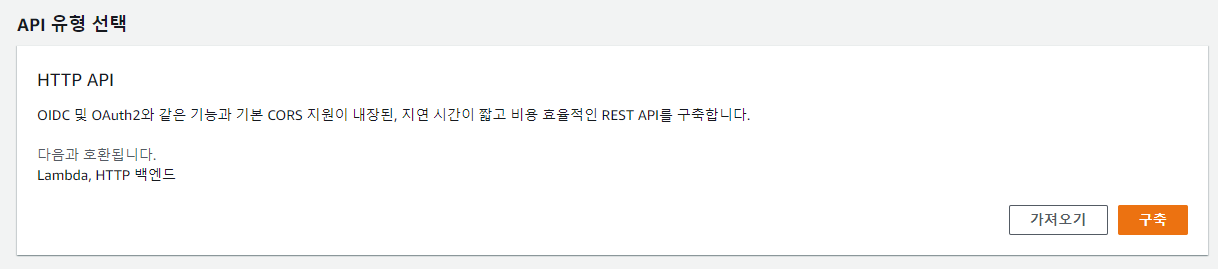
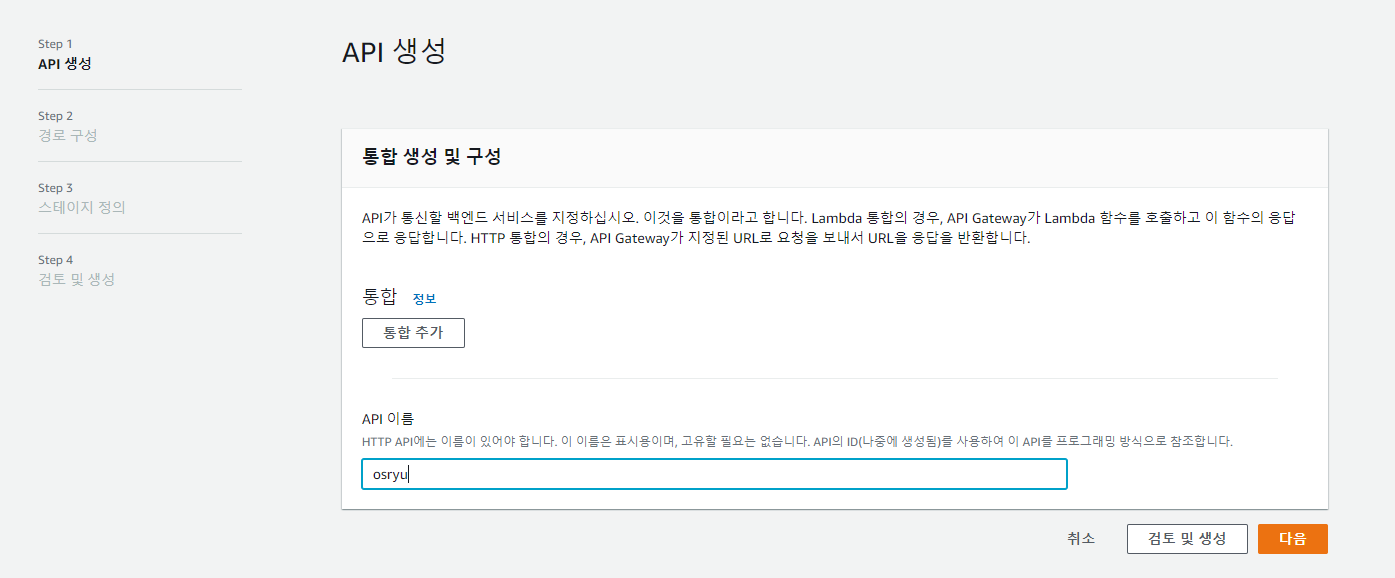
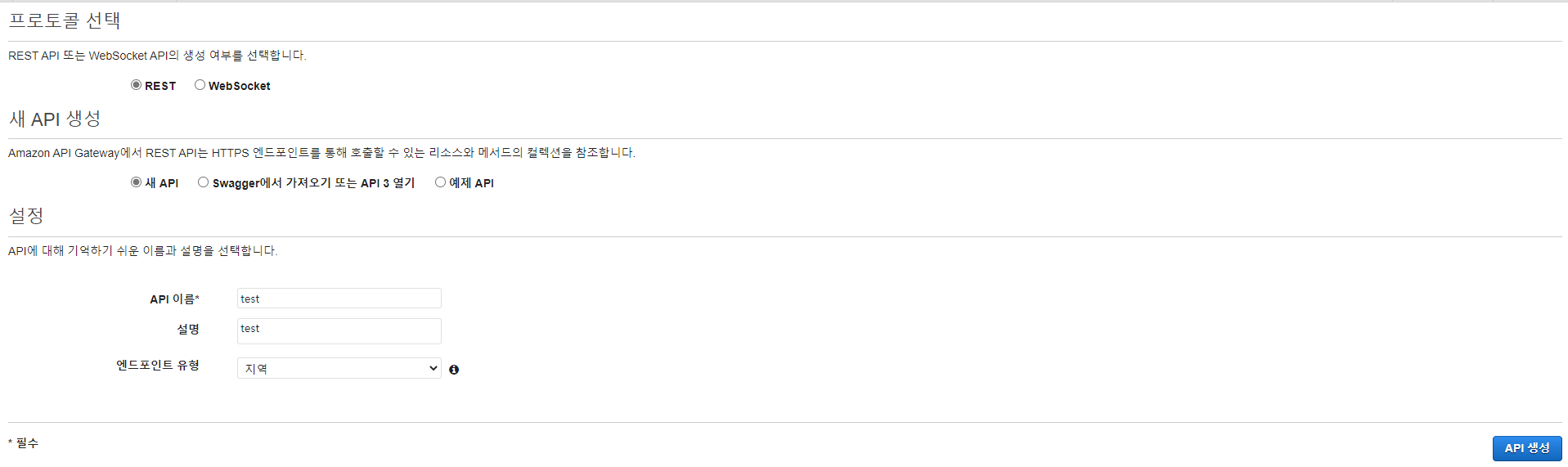
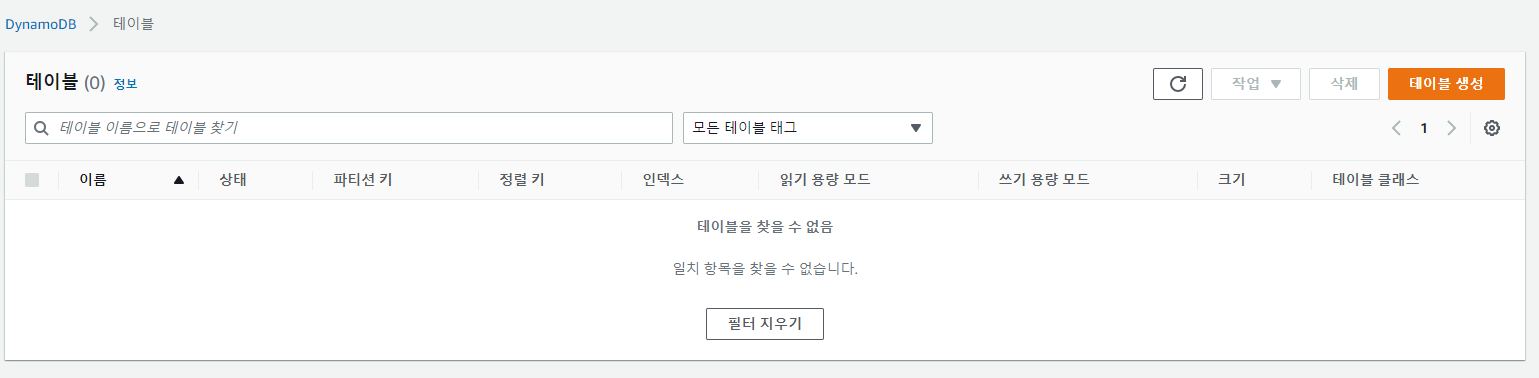
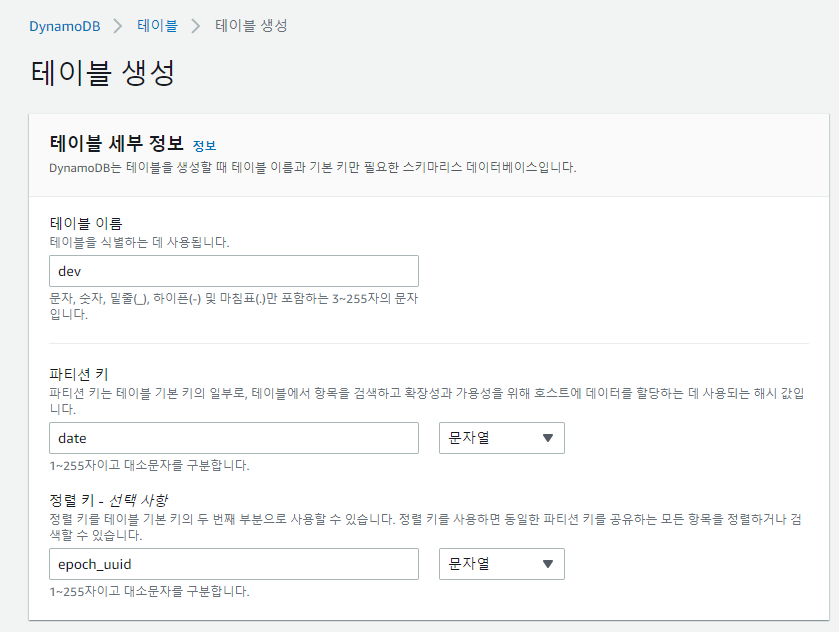
AWS API, DynamoDB create

References
https://labs.brandi.co.kr/2018/07/31/kwakjs.html
aws-certified-cloud-practitioner.md
AWS Certified Cloud Practitioner
- https://explore.skillbuilder.aws/learn/course/internal/view/elearning/16947/aws-certified-cloud-practitioner-official-practice-exam-clf-c02-korean
- https://explore.skillbuilder.aws/learn/course/internal/view/elearning/14050/exam-prep-official-question-set-aws-certified-cloud-practitioner-clf-c02-korean
- https://explore.skillbuilder.aws/learn/course/internal/view/elearning/16814/AWS-Certified-Cloud-Practitioner-Official-Practice-Question-Set-CLF-C02-Korean-
aws.md
Setting(SpringBoot)
1. EC2 CentOS 7 인스턴스 생성
chmod 400 awskey.pem
ssh -i "awskey.pem" centos@ec2-000-000-000-000.ap-northeast-2.compute.amazonaws.com
2. pem key 없이 접속
sudo adduser testuser
sudo passwd testuser

sudo chmod u+w /etc/sudoers # 파일 권한 변경

sudo vi /etc/sudoers # 파일 접근

--- sudoers 설정 추가
"유저명" ALL=(ALL:ALL) ALL
---

sudo vi /etc/ssh/sshd_config

--- sshd_config 설정 변경
PasswordAuthentication yes
---

sudo service sshd restart


ssh "유저명"@"IP"
ssh testuser@000.000.000.000
AWS EC2 접근 console에서 접근
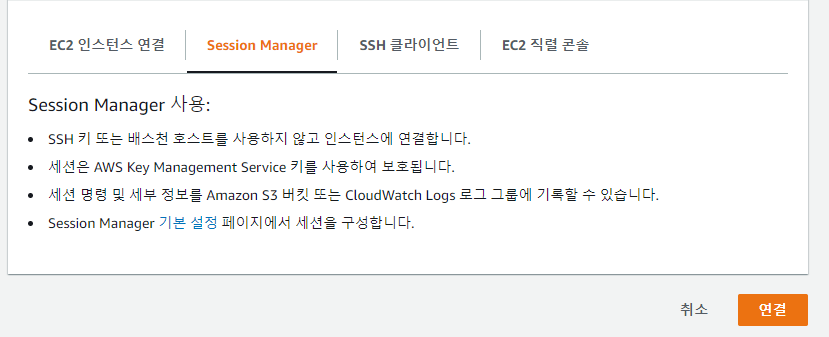
원하는 인스턴스 선택 > 우측마우스 > 연결 클릭 > Session Manager에서 연결 클릭
bash
sh-4.2$ sudo su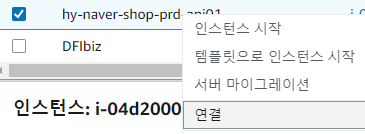
Access Key, Secret Key 생성
IAM > 사용자 > S3AccessKeyOnly > 엑세스 키 만들기References
https://wooono.tistory.com/371AWS 인증서 변경작업중 이슈 (SSL)
js
# 인증서 정상여부 확인
https://www.digicert.com/help/
# 비슷한 오류 이슈
http://www.kunwi.co.kr/gunwi/board.php?bo_table=os&wr_id=184
aws S3 정적웹사이트 호스팅
1. bucket 생성 (bucket 생성시 모든 퍼블릭 엑세스 차단을 풀기)
2. bucket 클릭 > 속성 > Amazon 리소스이름(ARN) 복사
3. 권한 > 버킷 정책 > 편집 > (정책편지기로 생성후 등록)

4. bucket > 속성 > 정적 웹 사이트 호스팅
-활성화
-정적 웹 사이트 호스팅
버킷 정책
https://awspolicygen.s3.amazonaws.com/policygen.html
#정책 생성기로 생성후 Resource의 "Resource": "arn:aws:s3:::oseongryu-bucket/*" 을 추가 하기
# S3 정적페이지의 경우 DDos공격을 받을 가능성이 있으므로 필요시 CloudFlare의 서비스와 연동해야함)
# 전체 오픈은 항상 주의하기 테스트 용은 허용 아이피 설정
json
{
  "Version": "2012-10-17",
  "Statement": [
    {
      "Sid": "Statement1",
      "Effect": "Allow",
      "Principal": "*",
      "Action": "s3:GetObject",
      "Resource": "arn:aws:s3:::oseongryu-bucket/*",
      "Condition": {
        "IpAddress": {
          "aws:SourceIp": "210.122.0.1/32"
        }
      }
    }
  ]
}